Notifications
Notifications provide a quick way to interact with your music player, especially on mobile devices. The <Notifications /> component in this library wraps the browser's navigator.mediaSession API, enabling media controls outside your application.
For more information, visit web.dev.
How It Works
The <Notifications /> component syncs your UI with user interactions through the browser's media controls. It activates automatically in browsers that support the Media Session API.
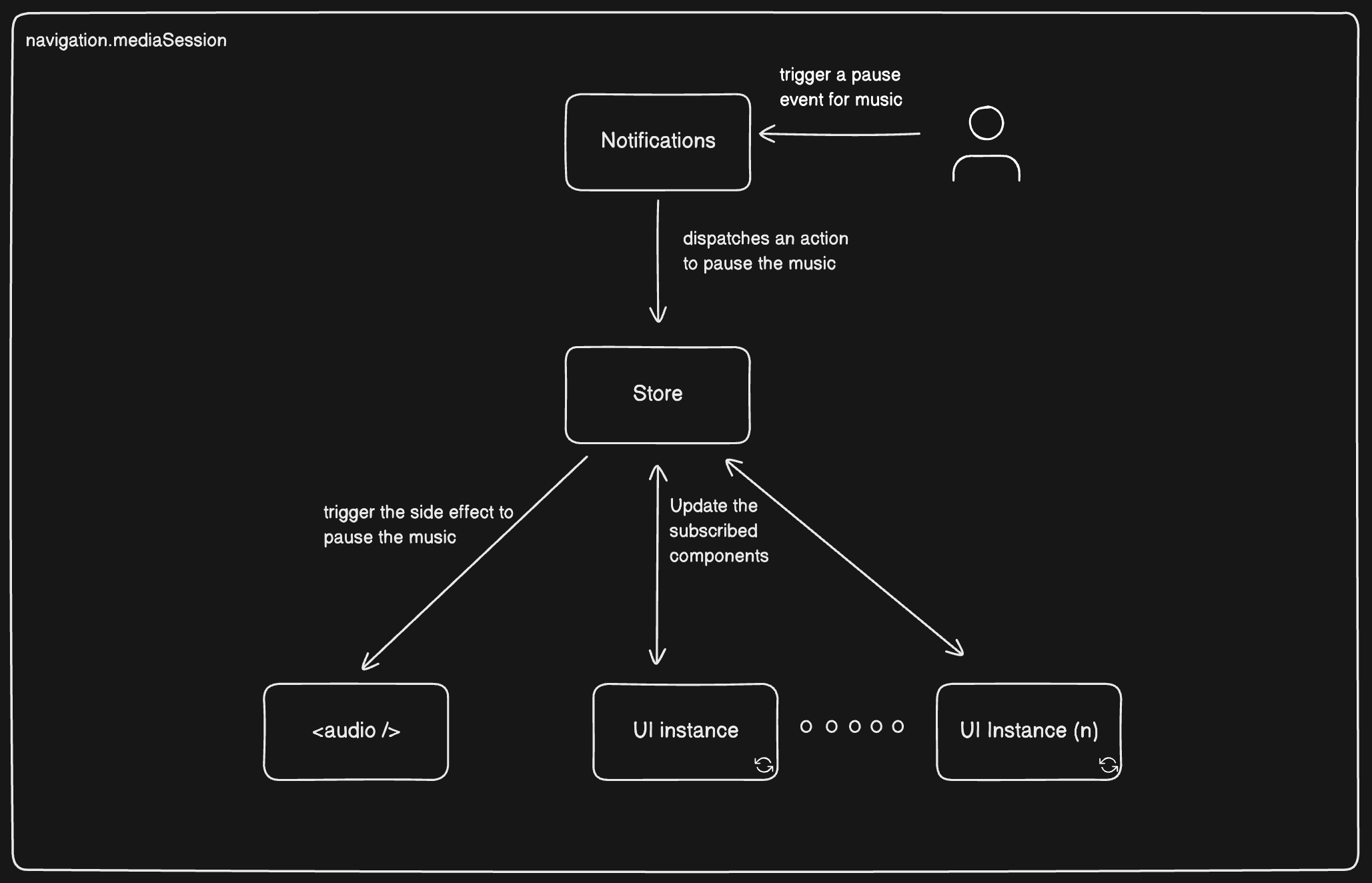
Media Session API Overview
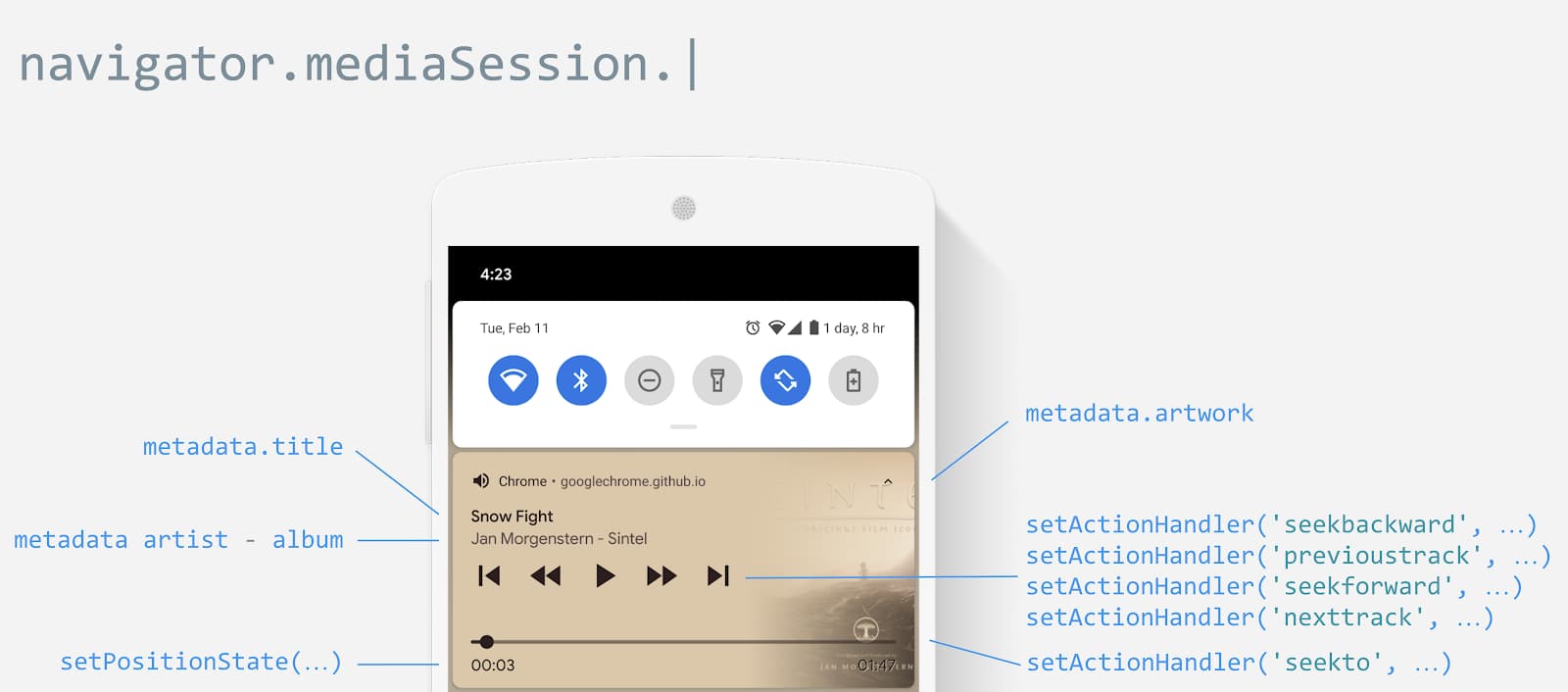
Behind the scenes, the component uses the browser's Media Session API. Here's how the metadata is structured:
navigator.mediaSession.metadata = new MediaMetadata({
    title: 'Never Gonna Give You Up',
    artist: 'Rick Astley',
    album: 'Whenever You Need Somebody',
    artwork: [
      { src: 'https://via.placeholder.com/96',   sizes: '96x96',   type: 'image/png' },
      { src: 'https://via.placeholder.com/128', sizes: '128x128', type: 'image/png' },
      { src: 'https://via.placeholder.com/192', sizes: '192x192', type: 'image/png' },
      { src: 'https://via.placeholder.com/256', sizes: '256x256', type: 'image/png' },
      { src: 'https://via.placeholder.com/384', sizes: '384x384', type: 'image/png' },
      { src: 'https://via.placeholder.com/512', sizes: '512x512', type: 'image/png' },
    ]
});
Basic Usage
The library exports a <Notifications /> component that you can use to create media notifications. Here's a simple example:
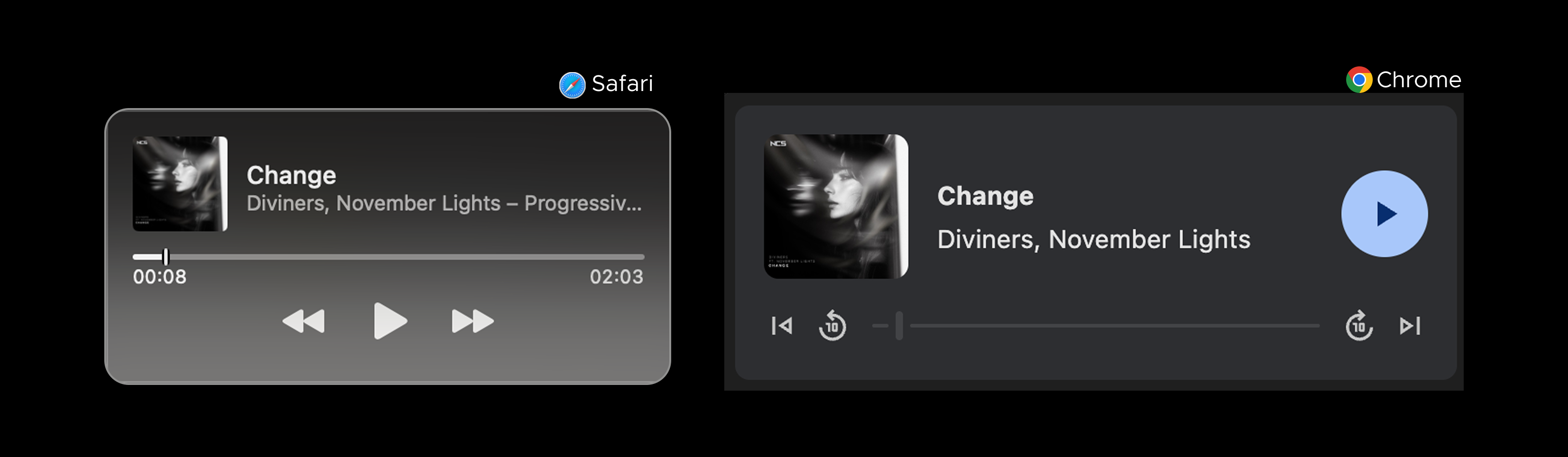
<Notifications
  songId="change-${id}"
  title="Change"
  artist="Diviners, November Lights"
  album="Progressive House"
  artwork={[
    {
      src: "https://ncsmusic.s3.eu-west-1.amazonaws.com/tracks/000/001/846/325x325/change-1739448053-51CaRYxW3A.jpg",
      sizes: "325x325"
    },
    {
      src: "https://linkstorage.linkfire.com/medialinks/images/370f855b-df43-40fb-9dfd-4be12f329a85/artwork-440x440.jpg",
      sizes: "440x440"
    }
  ]}
/>
Integration with Your Application
In a real application, you'll want to synchronize the notifications with your currently playing song. Here's how to create a wrapper component:
import { getMusicInfo } from "@/mocks/music-info"
import { useRequest } from "ahooks"

/* `<Notifications />` component aliased as `<MusicNotifications />` */
import { Notifications as MusicNotifications, selectActiveSong, useMusicPlayerSelector } from "react-redux-music"

export function Notifications() {
  /* Get the currently playing song from the store */
  const music = useMusicPlayerSelector(selectActiveSong)

  /* Get the data from the server for the active song */
  const { data } = useRequest(() => getMusicInfo(music?.songId), { refreshDeps: [music?.songId] })

  if (!data) return null

  return (
    <MusicNotifications
      songId={music?.songId}
      title={data.title}
      artist={data.artists}
      artwork={[{ src: data.image.url, sizes: data.image.size }]}
    />
  )
}
Setting Up in Your Application
Finally, wrap this component in the <MusicProvider /> at your application's root:
import App from "@/App"
import { Notifications } from "@/components/notifications"
import "@/index.css"
import { StrictMode } from "react"
import { createRoot } from "react-dom/client"
import { Audio, MusicProvider } from "react-redux-music"

createRoot(document.getElementById("root")!).render(
  <StrictMode>
    <MusicProvider>
      <App />
      <Audio />
      {/* This wrapper component displays notifications based on the currently active song */}
      <Notifications />
    </MusicProvider>
  </StrictMode>
)